> ## Documentation Index
> Fetch the complete documentation index at: https://help.studiomaker.jp/llms.txt
> Use this file to discover all available pages before exploring further.
# 画像から生成で直接リタッチする
> できあがった画像に、衣装着替・背景差替・ポーズ変更などのリタッチを直接かけます。
## やること
「画像から生成」画面では、**手持ちの画像に狙ったリタッチを直接かけられます**。
AIナビを通さないぶん、何度も素早く試せます。
## 量産のコツ
* **作った1枚を起点に回す**:生成履歴から気に入った1枚を選び、そのまま次のリタッチをかけると速く回せます。
* **順番はゴールデンパスと同じ**:作例 → バリエーション → 衣装・背景 → メイク・照明。迷ったらこの順で。
* **一度で決めない**:まず作って少しずつ直すほうが、結果的に狙いに早く近づきます。
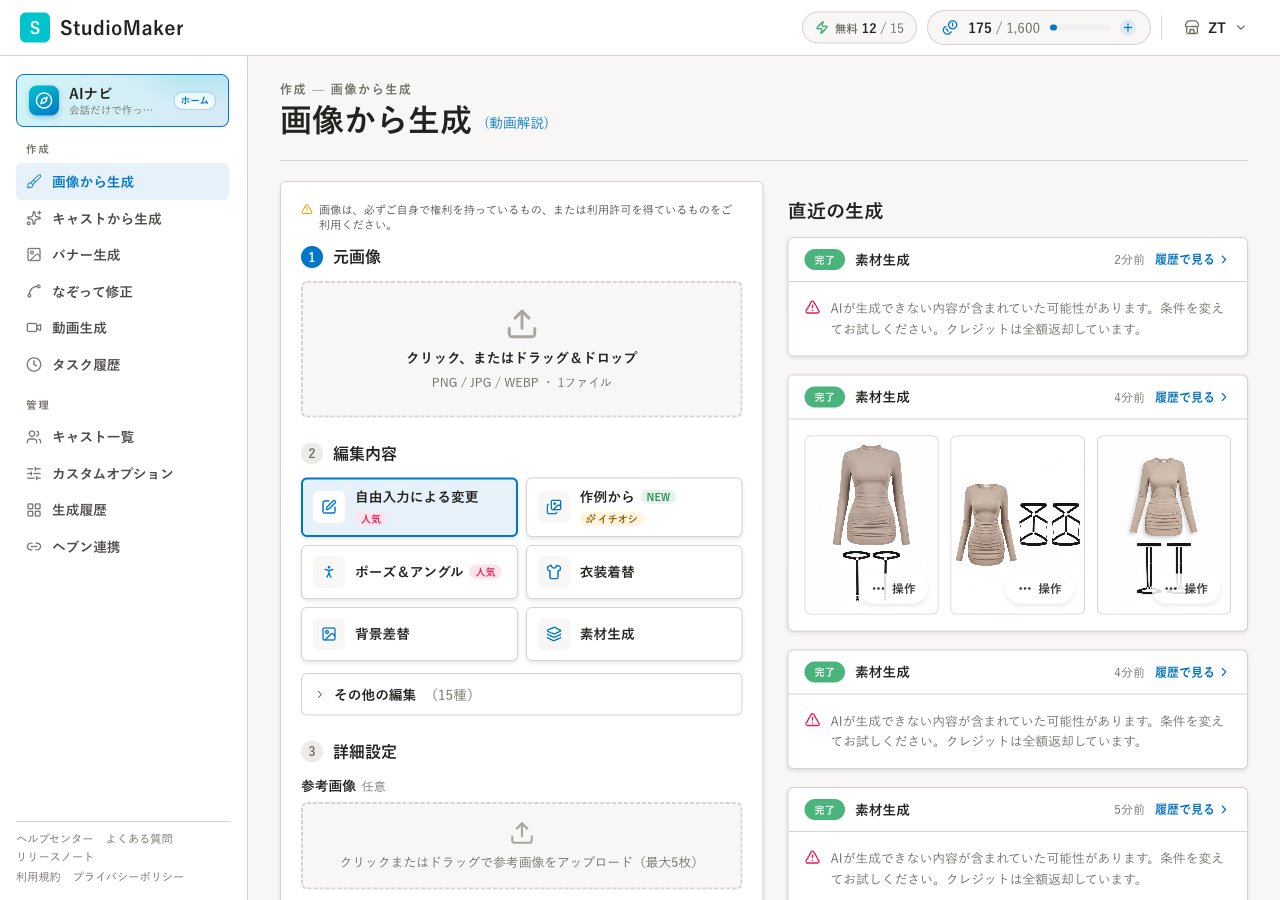 どのメニューがあるか・それぞれの使い方は、機能リファレンスにまとめています → [画像から生成(リタッチ)](/reference/image-from-image)
次の一手 → [機能リファレンス:画像から生成](/reference/image-from-image)
どのメニューがあるか・それぞれの使い方は、機能リファレンスにまとめています → [画像から生成(リタッチ)](/reference/image-from-image)
次の一手 → [機能リファレンス:画像から生成](/reference/image-from-image)